You start your work day! You trigger a few agents! They go off and do things! You close your laptop feeling productive!
A day later you realize you forgot to review three PRs, one of your own branches has been sitting with CI failures, and a teammate left comments on a PR you thought was done.
The agents did their part. You didn’t do yours.
That’s the paper trail problem.
The vibe maintainer problem
Steve Yegge wrote something that hit close to home: the job isn’t writing code anymore, it’s maintaining the vibe. Keeping context alive, knowing what’s in flight, making sure nothing falls off a cliff while your AI does the heavy lifting.
He’s right. And it turns out that’s much harder than it sounds.
When I first started using AI agents seriously, after a few months of just chatting with Cursor and doing back and forth until my job was ready, the pitch was simple: offload the boring stuff, stay in flow. And it works — an agent can draft a PR, run a review, check CI, open a ticket. All in the background while you focus on the hard problem in front of you.
But agents are silent by nature. They don’t tap you on the shoulder. They don’t follow up. They do the thing and disappear. And if you’re not paying attention, work piles up in a way that’s worse than before — because now it’s invisible.
The bottleneck shifted. It stopped being doing the work and became knowing what to act on.
How I actually work (most of the time)
My base workflow looks like this:
- Someone assigns a ticket to me in Jira
- A cronjob that runs periodically detects the assignment and triggers an agent in the background
- The agent creates a draft PR — a starting point, not a finished product (if the ticket was well defined, I’ll just mark the PR as ready and move on)
- I tweak the PR if necessary through Cursor or a Claude Code session
Jira status updates automatically based on PR state. I don’t touch it manually.
For code reviews, I have a script that surfaces all PRs waiting on me. I can preview what a review looks like before posting it. If it looks solid, I post it to GitHub with approve, request changes, or comment — one action.

This covers the core loop pretty well. But it leaves out a lot.
What the paper trail misses
The loop above handles the obvious stuff. What it doesn’t handle is what I do when I’m not focused on Jira tickets (which only tracks what is already tracked… not what is pending…)
- Tech debt accumulating quietly in corners of the codebase nobody’s looking at
- My own PRs getting feedback I haven’t addressed
- CI failures sitting there for hours because I (or my cronjobs) triggered an agent and I haven’t taken a look at
- Testing — making sure things are running E2E
- Stale branches that were “almost done” three weeks ago
These aren’t hard problems. They’re just easy to forget. And when you’re relying on agents to do work asynchronously, forgetting is the default.
Enter Gas Town and Gas City
Before I get into the solution, a quick distinction that matters.
Gas Town is the crew. It defines the cast of agents, their roles, their behavioral prompts, and the workflows they follow. Think of it as the blueprint for a coding team — who does what, and how.
Gas City is the engine. Without it, Gas Town is just a collection of markdown prompts and TOML files. Gas City is what makes agents actually wake up, find work, communicate, and close tasks.
Mayor is my session — the thing I talk to. Implementer executes tasks inside a Claude Code session. PR Reviewer and PR Guard own the GitHub surface: one reviews teammate PRs, the other watches my own PRs for CI failures and unaddressed comments and fixes them. Tech Debt Police scans the codebase and ranks debt by risk. QA learns the app through E2E tests. UI Foreman watches for agent conflicts and re-launches anything stuck.
Three Gas City primitives worth knowing — they map to things you already use:
- Beads are like Jira tickets. Work items that flow through the queue. Agents pick them up, execute, close them.
- Rigs are like GitHub repos. A managed workspace for one agent run — its own context, tooling, lifecycle.
- Orders are like cronjobs or scripts. How you — or another agent — trigger work.
Gas City also has a knowledge base layer. Agents write back what they learn: patterns, test results, recurring failures. Over time the crew improves — QA learns the happy paths, tech debt police stops re-flagging known noise, the implementer builds intuition about fragile areas. That’s what turns a collection of stateless agents into a crew that actually gets better.
The distinction matters for what comes next.
Agent independence
One thing I didn’t expect to value this much: agents run on their own and make their own calls. No hand-holding. No confirmation dialogs. They assess the situation and act.
That sounds scary. It’s one of the most useful properties of the system.
When an agent makes a bad call, you see it immediately — the wrong branch, the broken test, the PR comment that missed the point. You have a clean artifact: what did it see, what did it decide, where did it go wrong.
Compare that to a human making the same mistake after three days of back-and-forth. You end up debugging the process, not the decision.
Agent failures are fast, legible, and cheap. You don’t lose days, you lose minutes. Every failure teaches you something about the prompt, the workflow, the parts of the codebase that aren’t explained well enough to reason about. The crew gets smarter because you get smarter about how to run it.
The same problem, one level up
Now instead of forgetting about individual tasks, I was forgetting about agents. Which one ran last? What did the tech debt police find? Did the PR guard actually fix that CI failure or is it still sitting there?
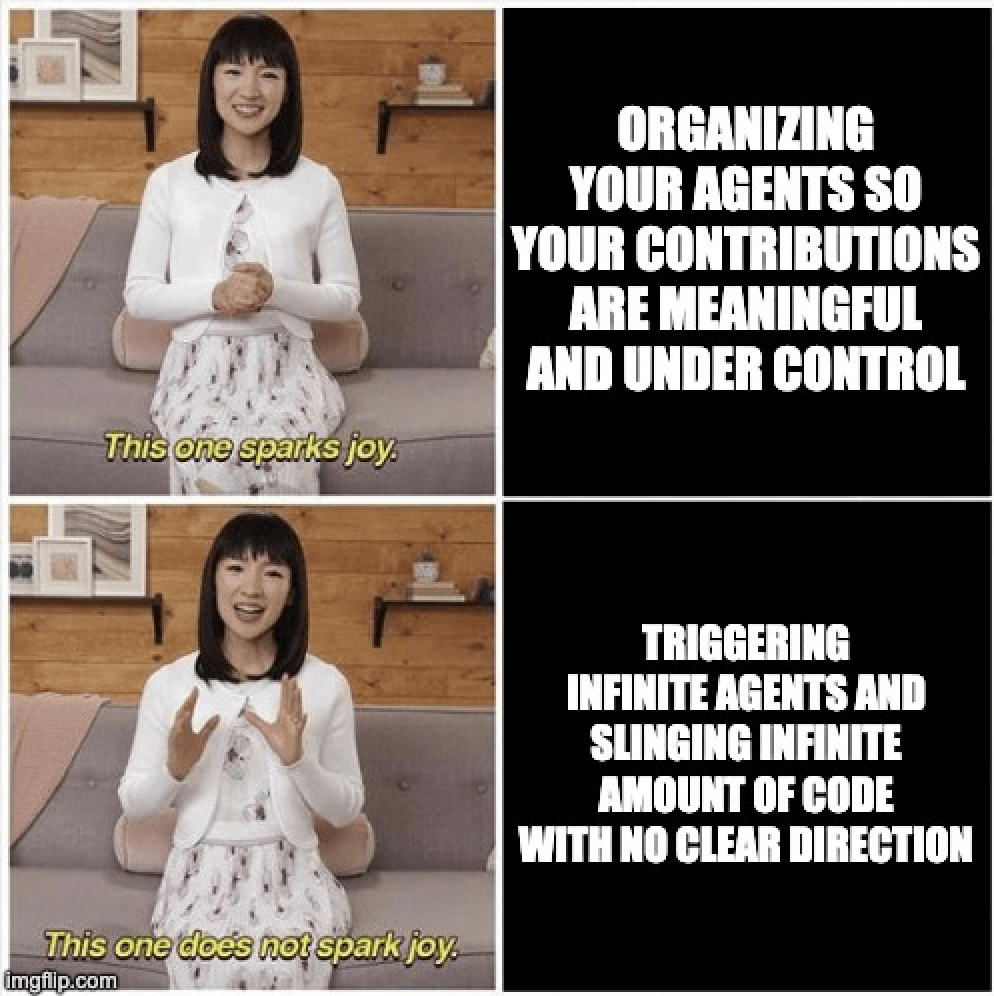
The orchestration layer is only useful if you can control and take action based on what it’s doing. On its own, it’s just a fancy ecosystem of agents doing work without clear direction.
Going back to Yegge’s framing: the vibe maintainer has a new job now. It’s not just maintaining your own work context — it’s maintaining the context of a whole agent team running in the background. What ran, what it found, what needs your attention.
So I went back to the same solution that fixed my original problem: a morning dashboard. But this time, instead of just surfacing Jira tickets and PR states, I want it to surface the agent layer too.
What I’m building now
The mayor is building a local web server that runs as part of the Gas City setup. Think of it as a control panel for the crew.
Gas Town has its own web dashboard, but I want something cleaner, something that can help me take actions faster, tailored to my usual workflow.
The goal is dead simple: instead of attaching to a session and running a few commands to trigger something, I want a button. One click.
The morning flow I’m working toward:
- Open the local dashboard
- See the paper trail: PRs, CI state, agent activity from the last 24 hours
- One-click triggers: implement the highest priority on the tech debt findings, kick off QA, re-run a failed agent, post reviews
- Attaching to the implementer session where the real complexity is happening (a.k.a. where the human is actually needed)
The dashboard isn’t replacing the agents. It’s the thing that keeps you honest about what they’re doing.
The real lesson
Every time I’ve added more power to my workflow — more agents, more automation, more async work — I’ve had to build more visibility on top of it. Not because the tools are broken, but because async work is invisible by default.
The agents don’t follow up. The CI doesn’t page you. The stale branch doesn’t send a reminder.
You have to build the thing that maintains the vibe.
What’s next
The local web server is a work in progress. When it’s ready I’ll write a follow-up on what the actual UI looks like and how the agent coordination works in practice.
In the meantime:
- MorningDash (CLI + Cursor/VSCode extension) is on GitHub: github.com/ricardo-leiva/morningdash
- Gas City: github.com/gastownhall/gascity
- Steve Yegge’s piece that named the problem: Vibe Maintainer
If this hit close to home, I’d love to know what your paper trail looks like. Find me on LinkedIn.